TL;DR
- A plain
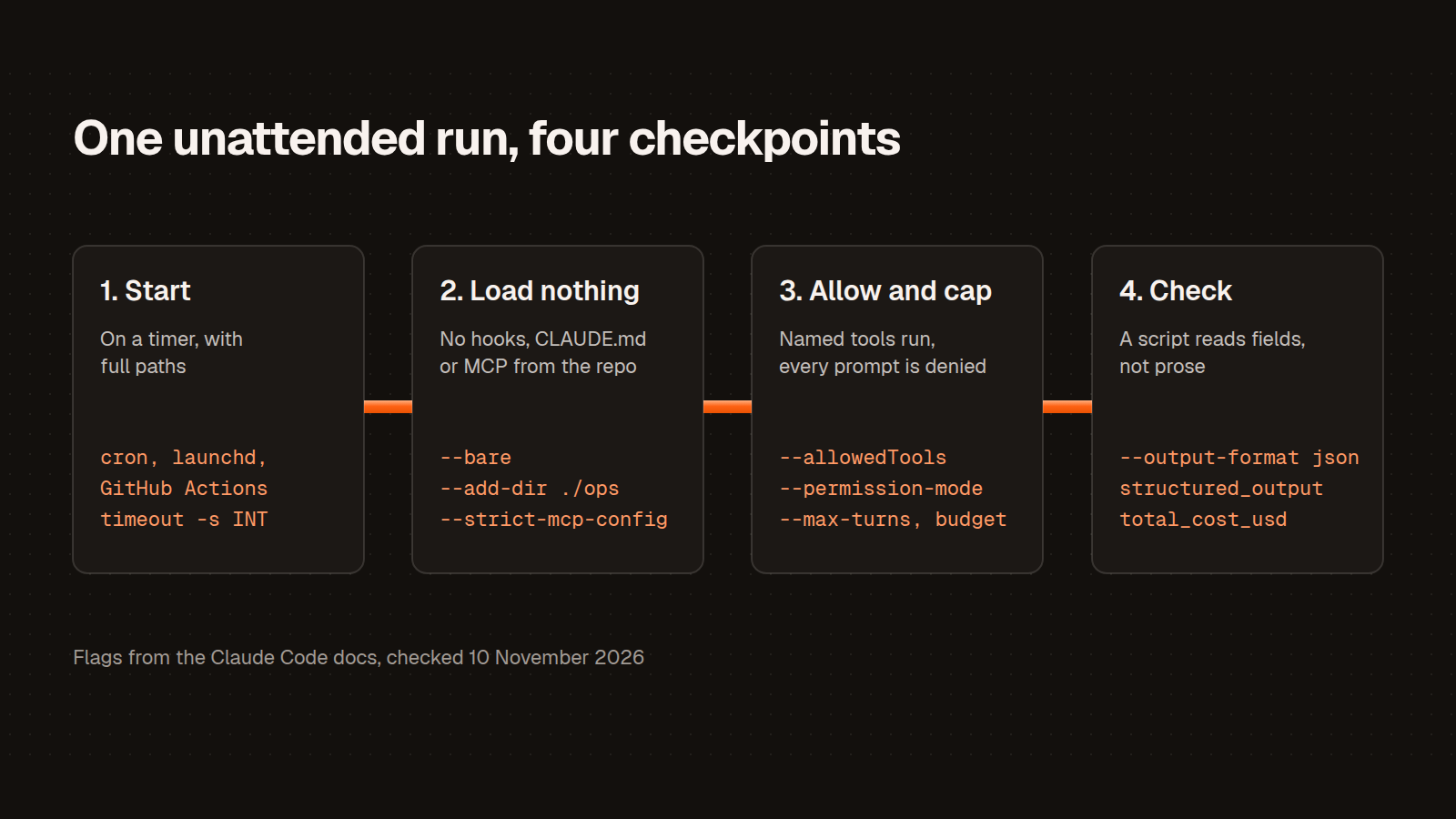
claude -ploads everything an interactive session does. Hooks, skills, plugins, MCP servers, auto memory and CLAUDE.md all come along, with no trust dialog. Add--bareand none of that loads. - Unattended means nothing gets approved by a person. Name the tools that may run, use
--permission-mode dontAskand--permission-prompts none, and everything else is denied instead of waiting. - Cap it twice.
--max-turnshas no limit by default, and--max-budget-usdstops the run at an estimated spend. Leave headroom: spend can pass the cap. - Read the JSON, not the prose.
--output-format jsongives your script fields to check, including an estimatedtotal_cost_usd. A cron job that only saves text can't tell a failure from a summary.
Docs checked on 10 November 2026. Claude Code changes quickly, so check claude --version against the versions named below.
What does claude -p load by default?
claude -p runs Claude Code non-interactively: one prompt in, one result out. By default it is not a clean room. Without --bare, it discovers and loads hooks, skills, plugins, MCP servers, auto memory and CLAUDE.md, the same as an interactive session.
That matters more when nobody is watching. Without --bare, a -p session runs the hooks in a project's .claude/settings.json and connects the servers in its .mcp.json, even in a folder you have never trusted. There is no trust dialog and no per-server prompt. A scheduled job pointed at a freshly cloned repo runs that repo's hooks.
--bare skips all of that auto-discovery. Anthropic calls it the recommended mode for scripted and SDK calls and says it will become the default for -p in a future release. In bare mode Claude has the Bash, file read and file edit tools, and only MCP servers you pass on the command line connect.
Plain claude -p | claude -p --bare | |
|---|---|---|
Project hooks and .mcp.json | Loaded, no trust prompt | Not read |
| Hooks, skills and plugins | Loaded | Not read |
| CLAUDE.md and auto memory | Loaded | Not read |
| MCP servers | All configured | Only --mcp-config |
| Background commands and subagents | Available | Not available |
| Login | Subscription or API key | API key (ANTHROPIC_API_KEY or apiKeyHelper) |
The last row changes who pays: bare mode does not use your subscription login. A bare scripted run needs ANTHROPIC_API_KEY in its environment or an apiKeyHelper in --settings.
The locked-down call, flag by flag
This is the whole call, with one line per flag below. Not run: we built it from the docs and did not execute it for this post. Run it once with a throwaway prompt before you schedule it.
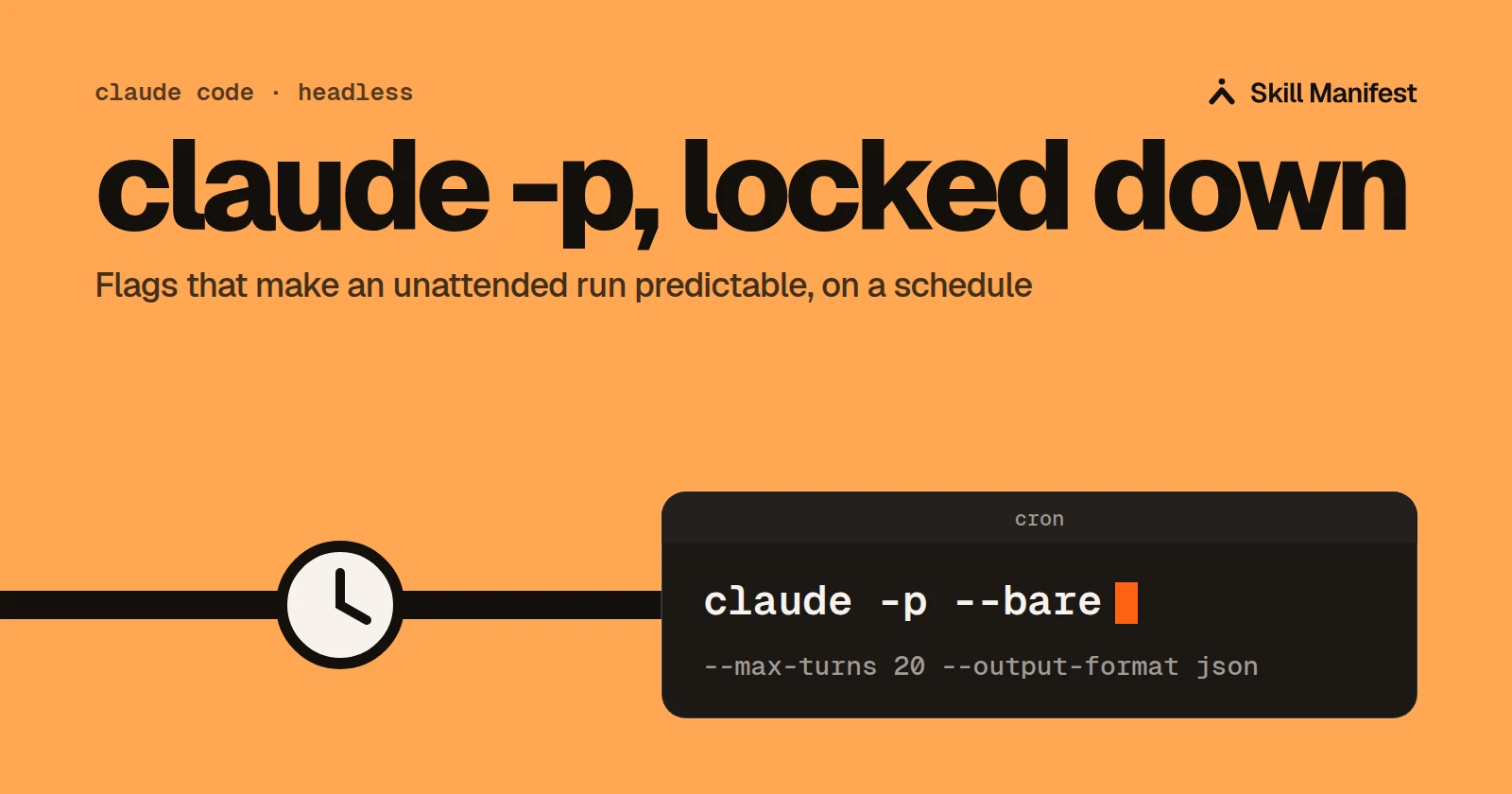
claude -p "/nightly-report" \
  --bare \
  --add-dir ./ops \
  --allowedTools "Read" "Bash(git log *)" "Bash(git diff *)" \
  --permission-mode dontAsk \
  --permission-prompts none \
  --max-turns 20 \
  --max-budget-usd 2.00 \
  --no-session-persistence \
  --output-format json \
  --json-schema "$(cat ./ops/report-schema.json)" \
> run.json--bare. The same startup on every machine: no hooks, skills, plugins, MCP servers, auto memory or CLAUDE.md are auto-loaded.
--allowedTools. These run without a prompt. The trailing * is prefix matching, and the space before it matters: Bash(git diff *) does not match git diff-index, but Bash(git diff*) would. To limit which tools exist at all, the reference points to --tools.
--permission-mode dontAsk. It denies every call that would otherwise prompt. The docs describe it as useful for locked-down CI runs. On v2.1.302 or later, a -p run with no mode set starts in Manual mode, where a call that needs approval is denied anyway. Naming the mode removes the guesswork about which one the run starts in.
--permission-prompts none. Made for runs where nobody can answer, such as a scheduled job. Anything that would prompt is denied, and Claude is told not to retry it. It needs v2.1.259 or later; earlier versions reject it as an unknown option.
--max-turns 20. Agentic turns have no limit by default in print mode. Pick a number from a few good runs, not a guess.
--max-budget-usd 2.00. The run stops once estimated spend reaches the amount, and subagent spend counts. It checks a client-side estimate, and spend can pass the cap. Once the cap is reached, a new subagent fails with Budget limit reached and background subagents still running are stopped.
--no-session-persistence. Nothing is saved to disk, so a nightly job does not pile up sessions nobody will resume.
--output-format json and --json-schema. One JSON object your script can read, with the answer in the shape you defined. More on that below.
If the job needs an MCP server, pass it with --mcp-config and add --strict-mcp-config, which ignores every other MCP configuration.
Running a skill unattended
User-invoked skills work in -p mode. Put /skill-name in the prompt and Claude Code expands it before running. Bare mode skips your skill folders, with one exception: a directory you name with --add-dir still has its .claude/skills/ folder loaded. So the call above keeps the job's skill in ./ops/.claude/skills/nightly-report/SKILL.md, beside the script, and nothing else loads.
That makes one file the whole job description. Read it before it goes on a schedule. In a session you would see a skill do something odd; at 3 a.m. nobody is there.
See what to check before you install a skill. Then look the skill up in Explore (linked at the end), which lists each component with its source and install facts, so you can read what you are putting on a timer.
How do you know a run failed?
An exit status beats a confident summary. Plan for three ways a run can end badly.
It ran and got nothing useful. With --output-format json the response carries total_cost_usd and a per-model breakdown. With --json-schema, the answer lands in structured_output, and that field is absent when the run ends without valid structured output. Check that it is there before you use it.
It hit a wall of denials. With --output-format stream-json, each denial appears as a permission_denied system message, and the final result lists them in permission_denials. A run that was denied ten times did not do its job, even if it ended cleanly.
It was killed. Stopping a run with SIGTERM exits with code 143 and records no result for the unfinished turn. SIGINT ends the turn instead. If you wrap the job in a time limit, have it send SIGINT, then kill the job once and read what run.json holds before you trust it:
timeout --signal=INT 30m /usr/local/bin/claude -p "/nightly-report" ... > run.jsonBackground work can hold a run open too. A -p run waits for background work Claude started, then stops it after 10 minutes of continuous idle waiting and drops its partial result. CLAUDE_CODE_PRINT_BG_WAIT_CEILING_MS changes that cap. In bare mode there are no background commands or subagents, so this mostly bites plain runs.
Each of those has a signal a script can test, using jq:
| Signal | What it means | Test |
|---|---|---|
| Exit code 143 | The run was stopped with SIGTERM and has no result for its last turn | [ "$?" -ne 143 ] right after the call |
No structured_output | No valid answer in your schema | jq -e '.structured_output' run.json |
Non-empty permission_denials | Calls were denied, so steps were skipped | Needs --output-format stream-json: tail -n 1 run.jsonl | jq -e '.permission_denials | length == 0' |
The docs place permission_denials in the stream-json result, so the scheduled json call above cannot run that last test. Use it on the tuning runs described at the end, or schedule the job with stream-json and parse the last line.
The operator below also checks an is_error field in the json output. We did not find it in the docs pages saved for this post, so test that your version has it before you rely on it. The docs saved here name no other exit codes, so force a --max-turns stop and a budget stop on a throwaway prompt once and record what your version returns.
Then log the spend, whatever the result:
jq -r '.total_cost_usd' run.json >> spend.logWhich scheduler should you use?
/loop is the wrong tool for a nightly job. Session-scoped loops stop with the session, and a loop you don't cancel ends when seven days elapse.
| Scheduler | Where it runs | Fits when |
|---|---|---|
/loop | Your open session | You are at the keyboard for the afternoon |
Cron or launchd with claude -p | Your machine or server | You want the exact flags above, in your own script |
| GitHub Actions | CI, on a schedule trigger | The job belongs to a repo and its secrets live there |
| Cloud scheduled tasks | In the cloud | It should run on a schedule, by API call or on GitHub events, without your machine |
| Desktop scheduled tasks | Your machine, from the Desktop app | You want a schedule without writing a crontab |
For cron, one line calls one script:
0 3 * * * /home/you/bin/nightly-report.sh >> /home/you/logs/nightly-report.log 2>&1Use full paths inside that script, for claude too. The checklist below shows what one operator hit with launchd and PATH; for cron, log env from the script once and see what it actually has. Keep the API key out of the crontab and read it from a file only your user can open.
If the job is a review on every pull request rather than a timer, see AI code review in Claude Code. If it is a long-running worker that picks up tasks, the router and worker pattern fits better than cron.
What does an unattended run cost?
It depends on how it logs in.
On an API key (which bare mode needs), you pay per token, and the JSON gives you a number per run. total_cost_usd and the per-model breakdown are client-side estimates that can differ from the bill. Append them to a log, as above, and compare a month of the log with your invoice.
On a subscription, Pro, Max and Ultra usage is included, so the session cost figure is not relevant to billing. That applies to plain runs only, since bare mode skips the subscription login. The docs saved for this post do not say whether a plan's terms cover scheduled or automated runs, so check your plan's terms before you put one on a timer.
--max-budget-usd works on the client-side estimate, so it is a brake, not a meter. If your job starts subagents, read what background agents really cost before you raise the cap.
A failure checklist from one operator
The docs tell you what the flags do, not what breaks once a job has run for a while. One operator's field notes fill some of that in. The operator is not a developer. They run 17 Claude Code bots on one Mac at a B2B distribution company in Korea, and only 3 of the bots call a model at all. Take it as one setup's report, not a rule:
- One login, one point of failure. When the CLI login expired on that machine, all seventeen bots failed at the same moment.
- launchd skips the shell PATH. It does not load the shell's
PATH, so a bareclaudecommand failed as a service until they used full paths. - JSON so a failure is a failure. They use
--output-format jsonfor itsis_errorfield, so a broken run can't pass as a half-finished summary. - The hours. About one hour a week on the bots now, and closer to ten in the first two months.
Their first point is the reason to alert on a failed run, not only log it. A log with no alert cannot tell all bots succeeding from all bots failing. Have the wrapper script exit non-zero and notify you when any test in the failure table fails.
What to do next
Pick one job you run by hand every week. Write it as a skill in ./ops/.claude/skills/, run the call above once with --max-turns 5 and --output-format stream-json, and read the permission_denials in the final result. Each one is a tool your allow list is missing or a step the job should not take. Then switch back to json and put it on the timer.
Look up the skills and hooks a scheduled run uses in Explore, or build the setup spec for it.