TL;DR
- An agent can only leak what it can see and reach. So the check has two halves: what is in its context, and which roads lead out.
- Assume your account email is in context. As of 9 November 2026 no changelog entry removes it. One published log shows it in a
curlcommand the model wrote. - There is a check now, and reports of gaps. Claude Code 2.1.317 asks before a web or shell call sends your account email. Users have posted test commands that were not refused.
- You need two controls, not one. The sandbox's
allowedDomainsdoes not limit WebFetch. WebFetch follows permission rules.
What happened with Claude Code and account emails?
Assume your account email is in the agent's context, then check where it can go. A GitHub issue filed on 5 November 2026 says Claude Code put the user's email in the User-Agent header during web searches. The reporter also connected it to scam email. That link has not been confirmed.
A July issue quotes a line in the model's system prompt that holds the account email. A May report describes the address being read from ~/.claude.json; it was later closed for inactivity.
Separately, one user's published logs show an email in the User-Agent of a curl command. Some sites ask scripted clients for a contact email in the User-Agent. If the address is in context, the model can write it into that header.
As of 9 November 2026 the changelog tops out at 2.1.319, and it holds these entries on how the model may use the account email:
| Version | What changed | What kind of protection |
|---|---|---|
| 2.1.234 | Claude is told to use the email only to identify you, and not to send it to unrelated services unless you ask | An instruction to the model |
| 2.1.317 | A check asks before a web or shell tool call sends the account email to the network | A check on the tool call |
No entry so far removes the email from context. Check the changelog again when you read this, because that part may move.
What can your agent see about you?
Sort it into three piles.
Account details. The email above. IS_DEMO hides email and organization from the UI, for streaming or recording. That entry is about the screen. It says nothing about what the model receives.
Git identity. An August issue suggested Claude Code may have used an address from Git configuration to follow the crates.io User-Agent advice. Your user.email is one command away for any agent with a shell.
Whatever you put in files. CLAUDE.md, .env, notes, client documents. If the agent can read it, it can repeat it.
Which roads lead out?
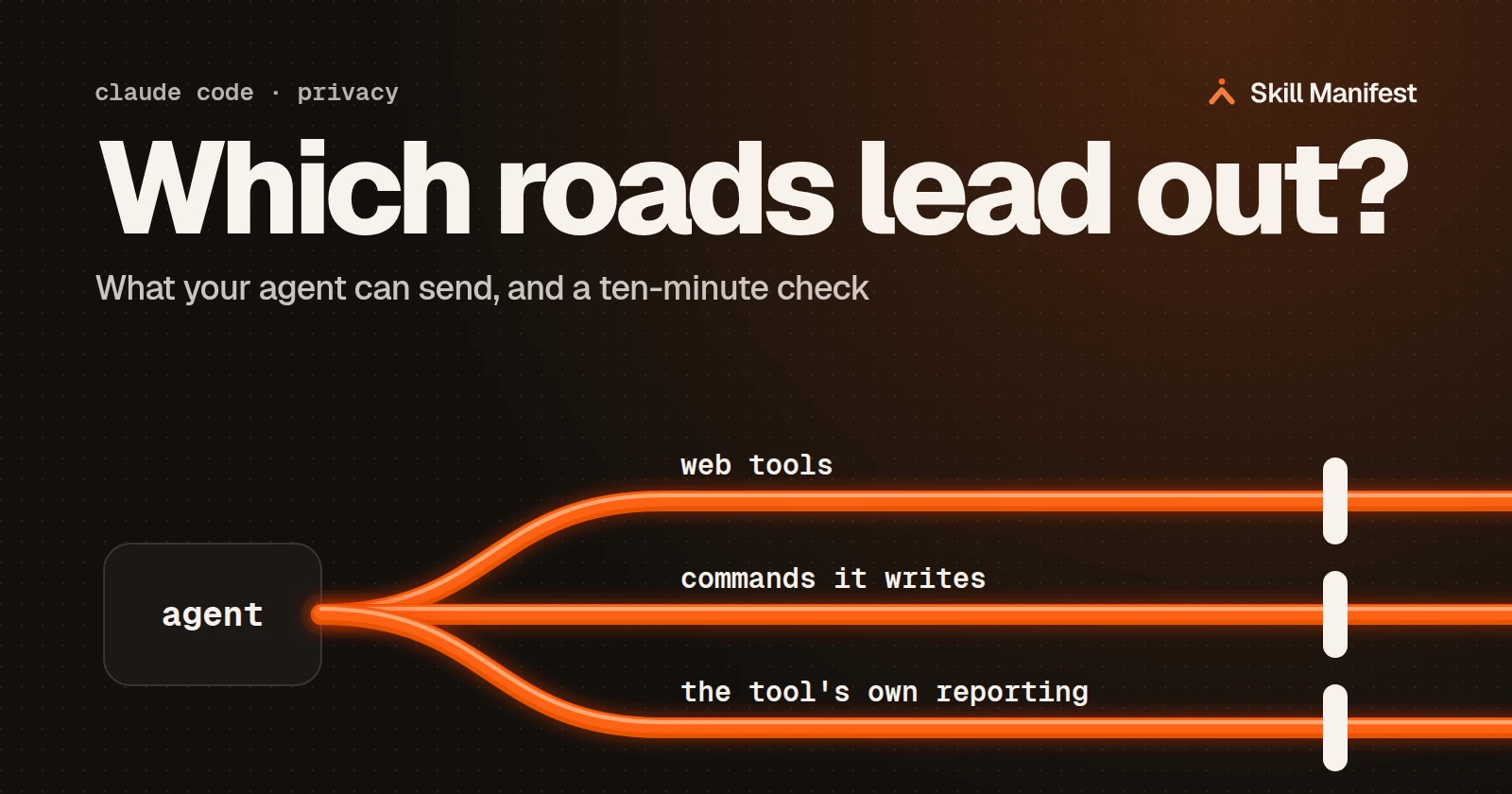
Three, and each has a different control.
| Road | Example | What governs it |
|---|---|---|
| Built-in web tools | WebFetch, WebSearch | Permission rules |
| Commands the model writes | curl, npm, git over HTTPS | Sandbox network isolation |
| The tool's own reporting | Usage metrics, error reports, /feedback | Environment variables, and your own choice to send |
Claude Code sends usage metrics and error reports, and each can be turned off. Transcripts you share through /feedback are retained for 5 years, so read what you are sending.
An instruction is not a control
The 2.1.234 line asks the model to behave. One issue, writing about a CLAUDE.md line with the same aim, says such an instruction "governs use, not presence, and depends on model compliance". The same logic applies here.
The 2.1.317 check works on the tool call instead. A Claude Code contributor also says a built-in privacy mod is on by default, with a switch in /plugins. Users on macOS and Windows posted test commands with their address in a User-Agent that ran without being refused. Those are user reports.
Rules, hooks and the sandbox sit outside the model. Our field guide makes the same kind of correction about isolation: "A worktree is not a security sandbox." A prompt line is not a permission rule.
A ten-minute check
1. Update, then see what is in your logs. Run claude --version and update if you are below 2.1.317. Claude Code keeps transcripts in plain text under ~/.claude/projects/, 30 days by default. Search them with your own address:
git config user.email
grep -rl "you@example.com" ~/.claude/projects/
grep -rhoiE '(user-agent:|--user-agent|curl -A)[^"]{0,120}' ~/.claude/projects/ | grep "@"
A match in the first grep only means the address appears in a session. The second shows User-Agent values holding an @, which is the pattern to read closely. No match proves little: transcripts age out after 30 days by default, and a command can take another shape.
2. Block the file tools. A Read deny rule blocks Claude's file tools from a path. Shell commands are restricted by the sandbox, not by this rule.
{
  "permissions": {
    "deny": ["Read(./.env)", "Read(./secrets/**)"]
  }
}
3. Name the sites WebFetch can use without asking. A rule such as WebFetch(domain:docs.python.org) matches that one domain. WebFetch(domain:*) matches every domain, so keep it out of your allow list.
{
  "permissions": {
    "allow": ["WebFetch(domain:docs.python.org)"]
  }
}
4. Sandbox the shell. The sandbox is off by default. Run /sandbox, or set it in ~/.claude/settings.json. With network isolation, commands reach only the domains you allow.
{
  "sandbox": {
    "enabled": true,
    "network": { "allowedDomains": ["github.com", "registry.npmjs.org"] }
  }
}
Do steps 3 and 4 together. This detail is easy to miss: allowedDomains does not limit WebFetch, and a WebFetch rule alone does not cover your shell.
5. Add a hook that says no. A PreToolUse hook can block a call by exiting with code 2, and it blocks even when an allow rule matches. Commenters on the incident suggested hooks that block commands pairing the address with a User-Agent flag. This one is broader.
Save this as .claude/hooks/block-my-email.sh, and make it executable. It needs jq installed:
#!/bin/bash
command=$(jq -r '.tool_input.command // empty')
if grep -qiF "you@example.com" <<< "$command"; then
  echo "Blocked: this command contains my email address" >&2
  exit 2
fi
exit 0
Then register it in .claude/settings.json:
{
  "hooks": {
    "PreToolUse": [
      {
        "matcher": "Bash",
        "hooks": [
          { "type": "command", "command": "${CLAUDE_PROJECT_DIR}/.claude/hooks/block-my-email.sh" }
        ]
      }
    ]
  }
}
It matches the literal address in the command text, and cannot see an address a script looks up when it runs. Before you rely on it, try it once with a harmless command that contains your address.
6. Decide on telemetry. Set DISABLE_TELEMETRY=1 and DISABLE_ERROR_REPORTING=1 if you want both off.
Worth doing with any agent
Two habits cost nothing. Use a noreply address as your git user.email, so the identity an agent finds is one you do not mind seeing in a log. And keep personal details out of the files agents load. Before you add a third-party skill, read what it can do, since it adds instructions and sometimes commands of its own.
Run step 1 today. Then find a hook that fits your stack in Explore, where each component shows its source.
Sources
- github.com/anthropics/claude-code/issues/107757
- github.com/anthropics/claude-code/issues/81138
- github.com/anthropics/claude-code/issues/55743
- gigazine.net/gsc_news/en/20261106-claude-code-mail-address
- www.aichatdaily.com/ai-security/anthropic-pull-account-emails-claude-code-context-after
- raw.githubusercontent.com/anthropics/claude-code/main/CHANGELOG.md
- code.claude.com/docs/en/data-usage
- code.claude.com/docs/en/sandboxing
- code.claude.com/docs/en/permissions
- code.claude.com/docs/en/hooks-guide
- skillmanifest.co/learn/home